Product Design · B2B Fintech · 2026Self-directed conceptUsability validationIA · Interaction · Design System
FinFlow: one expense record, three role-specific decisions.
A self-directed B2B expense-management concept connecting submission, approval, and finance review through one shared expense record.
Product DesignerProduct discovery · IA · Interaction design · Design system · Prototyping · Usability testing · Front-end prototyping
- 73% → 89%
- first-try task completion across two rounds
- 3
- role workflows
- ~6–8 weeks
- problem definition through validation
- Three roles, one expense record
- 73% → 89% first-try task completion
- Interactive public prototype
TL;DR
Problem: submission, approval, and finance review need different context, and the same expense record currently forces each role to rebuild that context by hand.
Approach: three role-specific dashboards connected by one shared expense record, so context travels with the work instead of being re-created in each role.
Outcome: a public interactive prototype with two rounds of usability testing improving first-try task completion from 73% to 89%, with explicit boundaries: this is a product-design prototype with validation, not a claimed production deployment.
Three roles sharing one expense workflow.
FinFlow is a self-directed B2B expense-management product concept informed by real expense-management patterns and stakeholder/workflow research. It explores how employee submission, manager approval, and finance review can share one record without making each role rebuild the context.
This is a product-design prototype with validation, not a claimed commercial deployment. The strength of the work is the quality of the problem solving and the measured improvement between two validation rounds, not a claim that FinFlow shipped to production.
Three roles, three questions.
The project uses three illustrative design personas that represent the roles in the prototype, not identified research participants: an Employee submitting expenses, a Manager approving them, and a Finance Admin reconciling records. The names and scenarios are illustrative design voices, not reported research participants.
These questions define what each flow needs to support. The annotated screens show the design response.
Employee
Can I check the amount extracted from my receipt before submitting, then find out whether the expense was approved?Manager
Can I distinguish an in-policy expense from a flagged one and leave a reason when rejecting it?Finance Admin
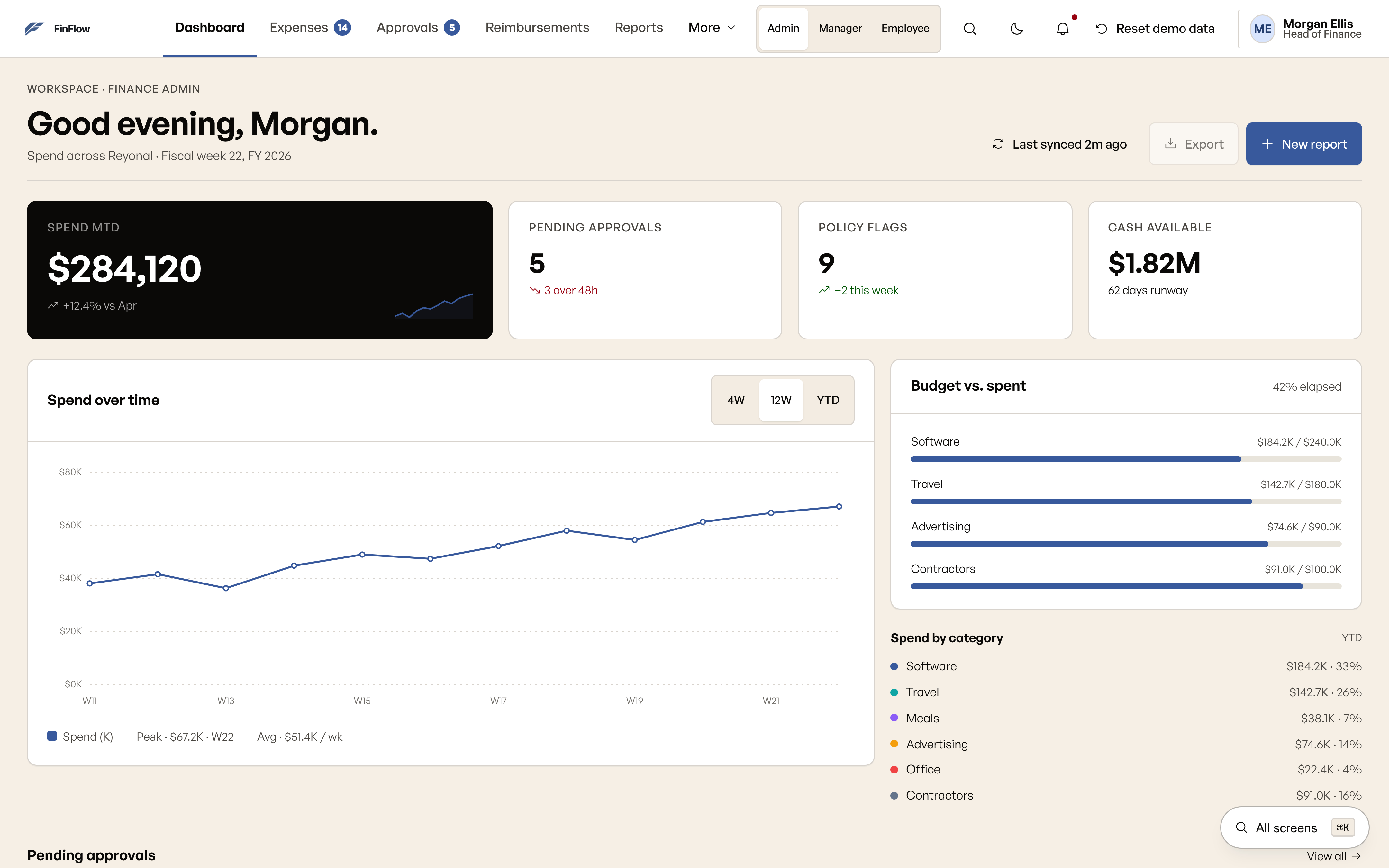
Can I move between spend, approval records, cards, and reimbursements without losing the expense context?
Validation: 73% to 89% first-try task completion.
Two rounds of moderated usability testing measured whether the role-specific flows were understandable on first use. The prototype was the test instrument; this is validation of the design concept, not evidence of production performance.
- 01
Method and participants
Moderated remote, task-based usability sessions using the interactive prototype. The sessions included 6–8 participants representing the expense-submitter, manager/approver, and finance-review workflows.
- 02
Tasks
Submit an expense with receipt/documentation; find and understand reimbursement status; review an expense requiring action; approve or reject an expense; and locate relevant reporting/account information.
- 03
What first-try completion means
The participant completed the assigned task through the intended workflow without moderator intervention, restarting, or taking an incorrect path requiring recovery.
- 04
Round one: 73%
The failure patterns were consistent: important actions were not visually prominent enough; status language was ambiguous; users had difficulty distinguishing items requiring action from informational items; and some hierarchy/navigation choices increased scanning.
- 05
Iteration between rounds
I strengthened action hierarchy, clarified status terminology, improved grouping, made primary actions more contextual, reduced competing information, and adjusted navigation and workflow cues.
- 06
Round two: 89%
The revised prototype increased first-try task completion to 89%. The timeline from problem definition through the second validation round was approximately 6–8 weeks.
The information architecture is the answer.
The implemented navigation is an inspectable information-architecture artifact. Each role can reach the destinations relevant to its work without rebuilding the expense context.
Employee
Dashboard → New expense → Receipt review → Expense detail. The expense record carries its status through the flow.Manager
Dashboard → Approvals → Expense detail → Decision. A rejection requires a reason, and approval confirmations identify the record.Finance Admin
Dashboard → Expenses, Cards, Reimbursements, Reports, or Audit log. Administrative settings are available to this role.
Scope note: The design board contains 45 captured layouts across desktop workflows and one mobile flow of eight phone screens. Approval detail reuses expense detail and bulk approval reuses the queue.
Six decisions that carry context through the workflow.
Each decision responds to one of the role questions and is visible in the prototype. The validation result belongs to the combined flow, not to any single screen.
- 01
An OCR confidence chip
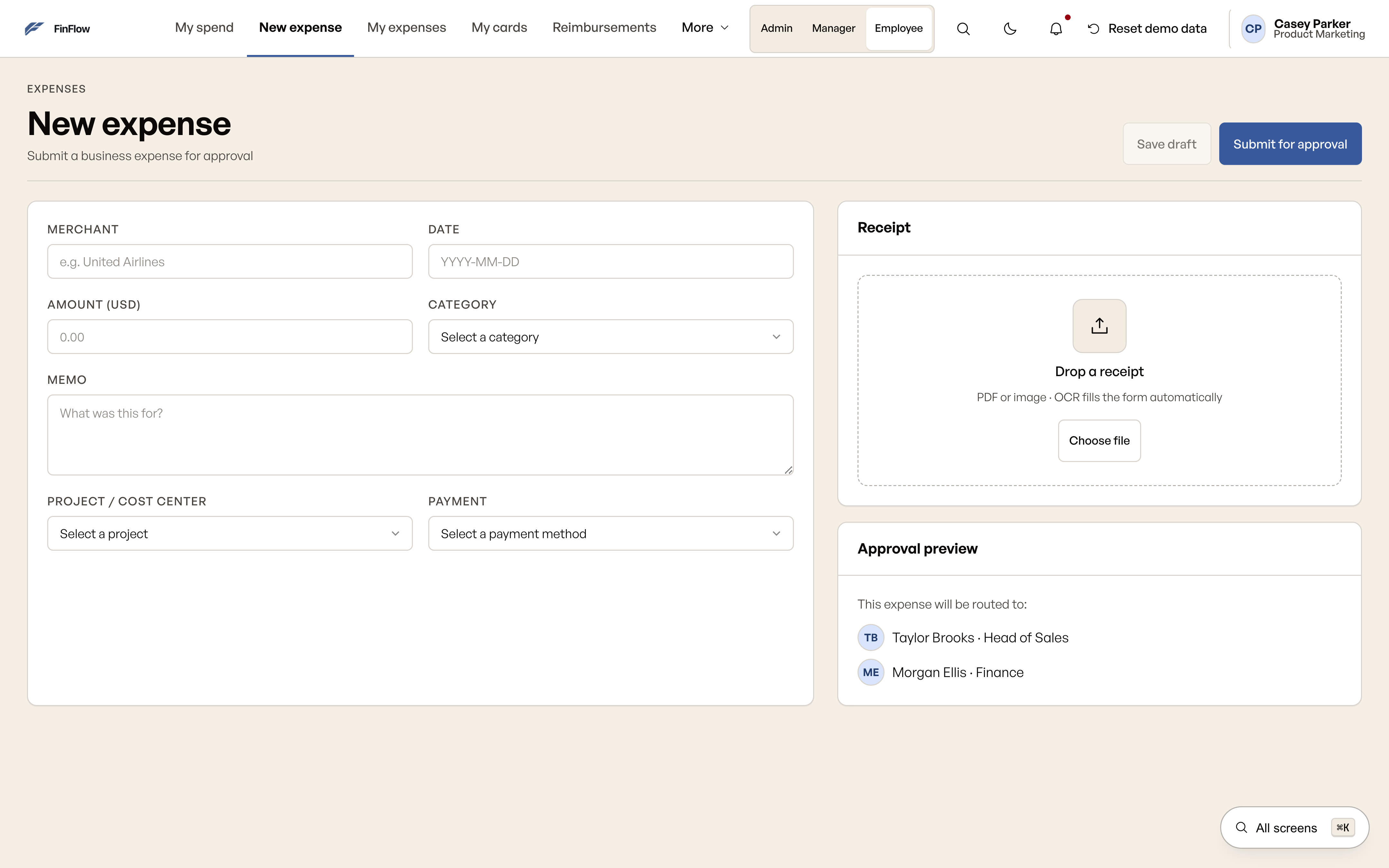
Confidence information sits beside the extracted fields so the Employee can check the extracted amount before submitting. The receipt data and confidence values are illustrative. This is a trust and verification decision for the submitter, not a claim about a connected OCR service.
- 02
Categories beside the amount
Category and project fields stay in the expense form so the submitter can review the record together before sending it for approval.
- 03
Policy flags in the queue
A policy chip sits on each approval row so the Manager can distinguish an in-policy expense from a flagged one, review flagged items individually, and bulk approve eligible items. A rejection includes a reason.
- 04
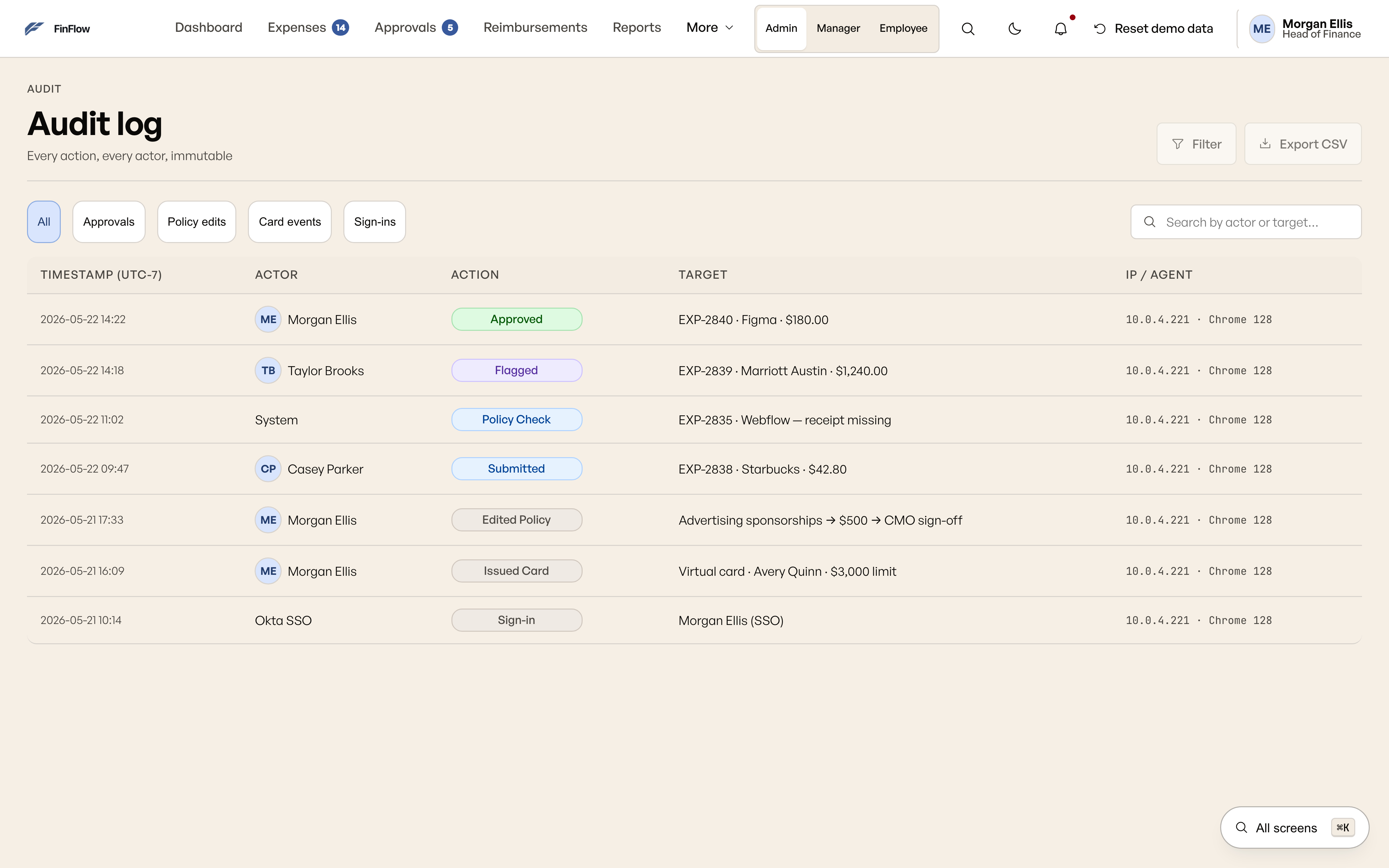
A role-visible audit log
The Finance Admin can reach the audit log from navigation as a working view. It is not buried inside account settings, so the expense context stays reachable while moving between spend, approval records, cards, and reimbursements.
- 05
Card issuance within the workspace
The card flow collects a cardholder and limit and adds a simulated card to the current session. It keeps card context inside the workspace but does not issue a real payment instrument.
- 06
A shared accent and hierarchy
Primary actions use the same accent across roles. Tables, status chips, and spacing give each dashboard a shared visual structure, reducing the amount of visual language each role has to relearn.
One expense across three roles.
Retrospective portfolio visualization based on the verified FinFlow workflow. It shows the same expense record moving through the three role contexts; it is an explanatory diagram, not a fabricated product screen.
Shared expense record
Receipt · amount · category · status
The same record carries its context forward instead of making each role reconstruct it.
Employee
Submit and track
Reviews extracted fields, completes the expense, submits it, and follows reimbursement status.
Manager
Review and decide
Sees policy context, opens flagged records, and approves or rejects with a reason.
Finance Admin
Control and reconcile
Moves between spend, approvals, cards, reimbursements, and the audit log without losing the record.
Retrospective portfolio visualization based on the verified FinFlow workflow.
From lo-fi to final: the new expense flow.
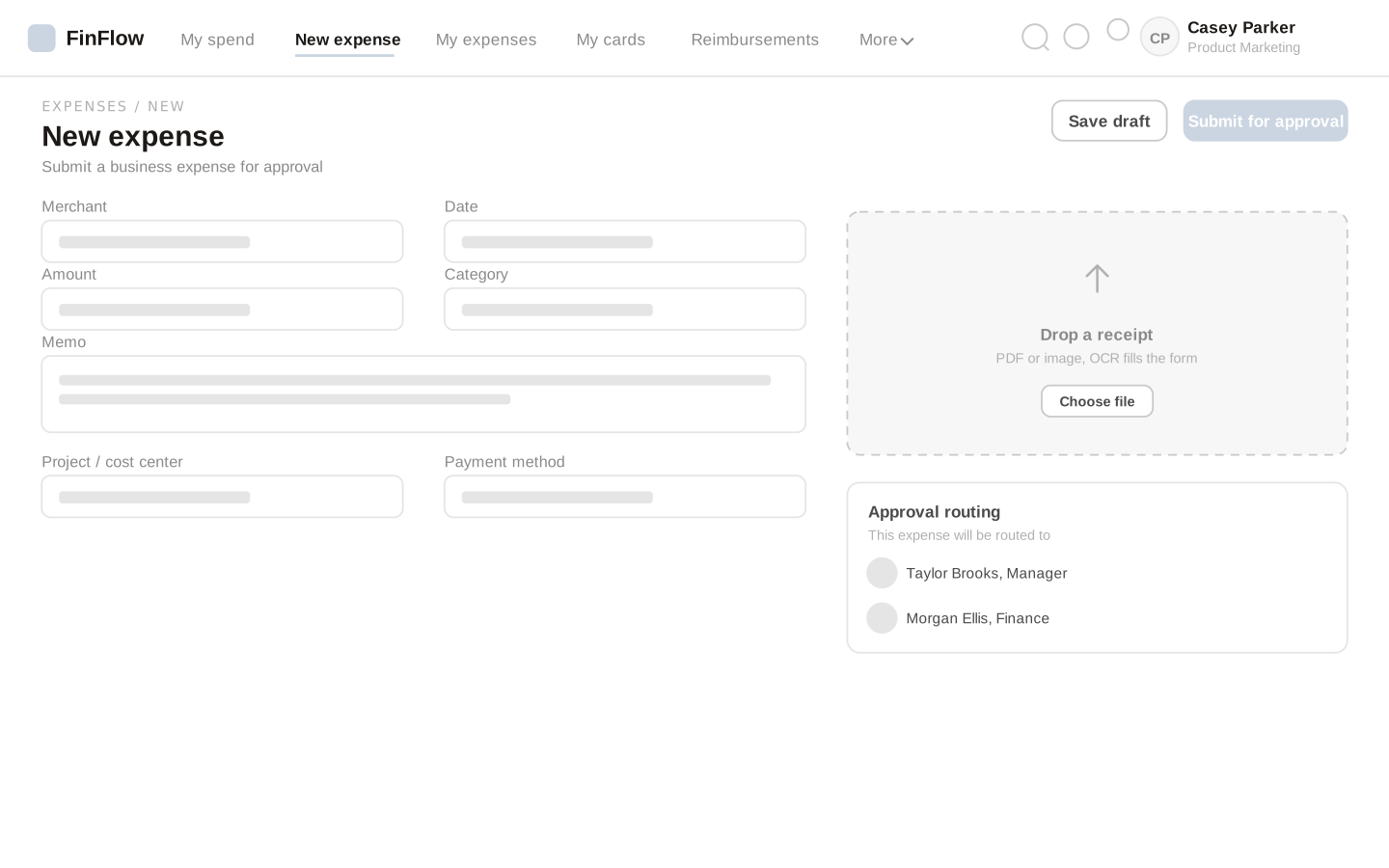
The wireframe and current screen show the same two-column structure: form fields beside receipt capture and approval context.
Lo-Fi
Current UI
Numbered views show the decisions in context.
Each annotation points to a visible component in the prototype.
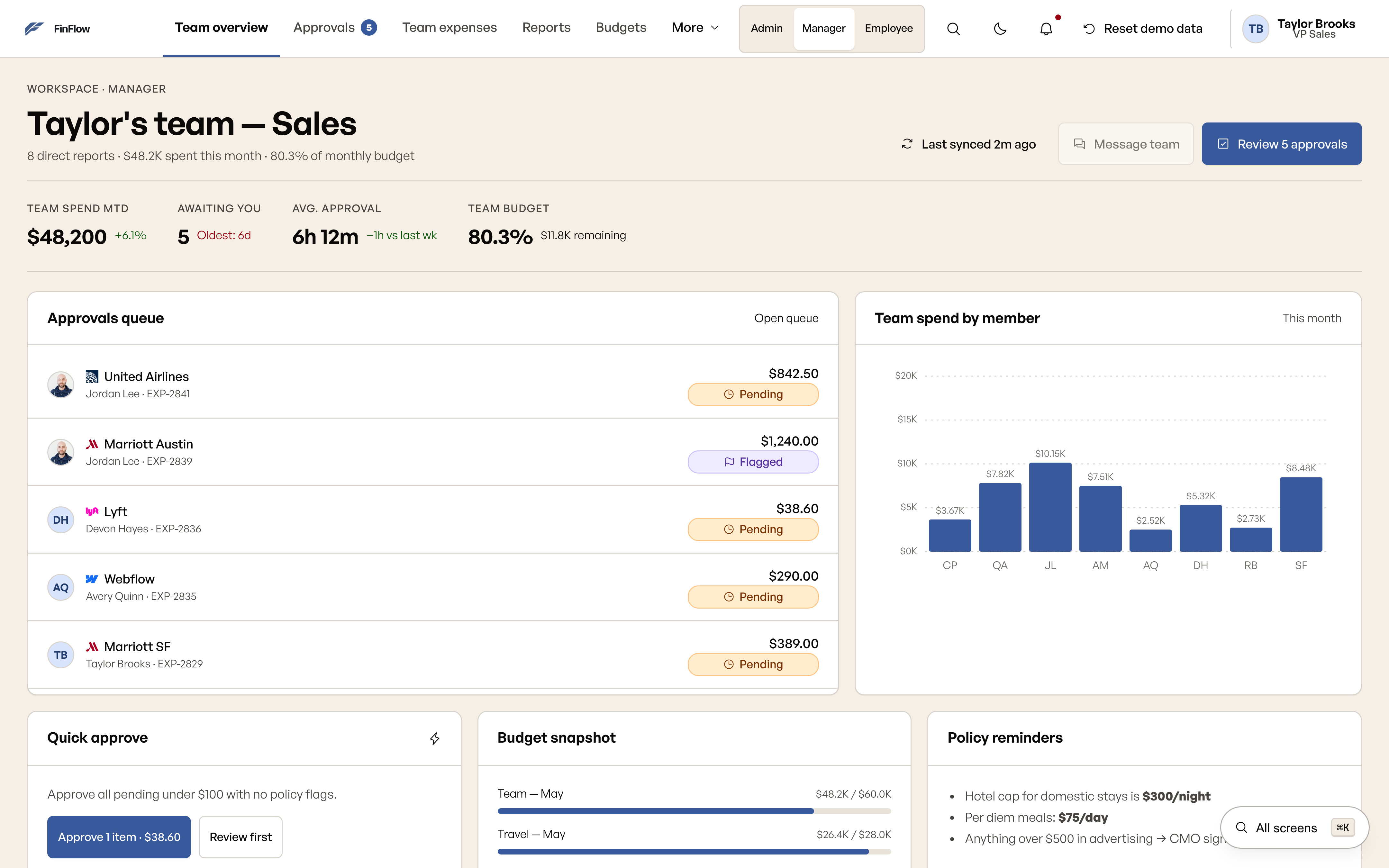
- A personal approval queue. “Awaiting you” tells the Manager which work needs their attention.
- A flag beside the expense. The policy status provides context before opening the record.
- Spend by member. The breakdown gives the team context on totals without requiring an export.
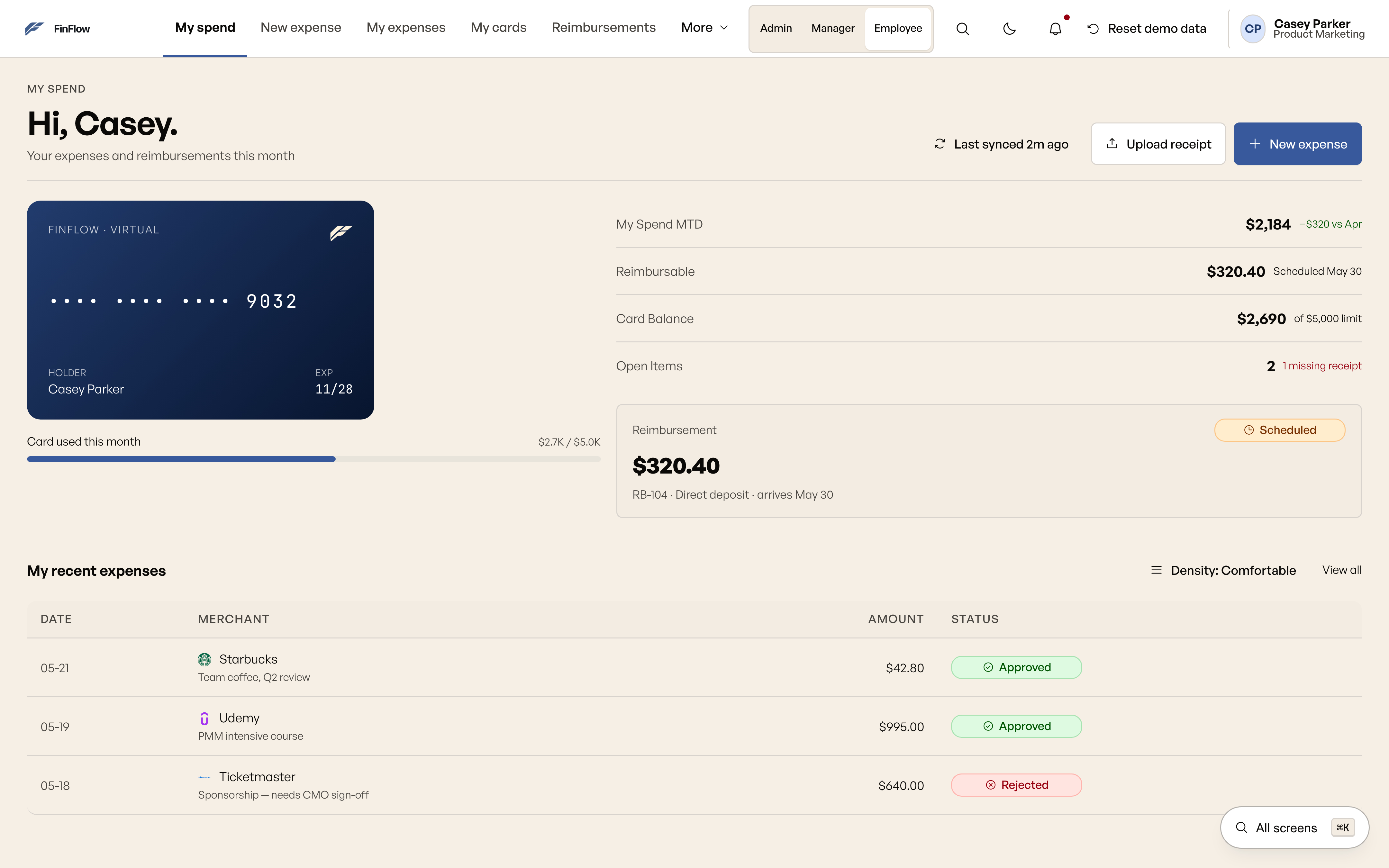
- Receipt capture near New expense. The Employee can start with the receipt or enter details directly.
- Card context on the dashboard. The masked number and balance summarize the illustrative card record.
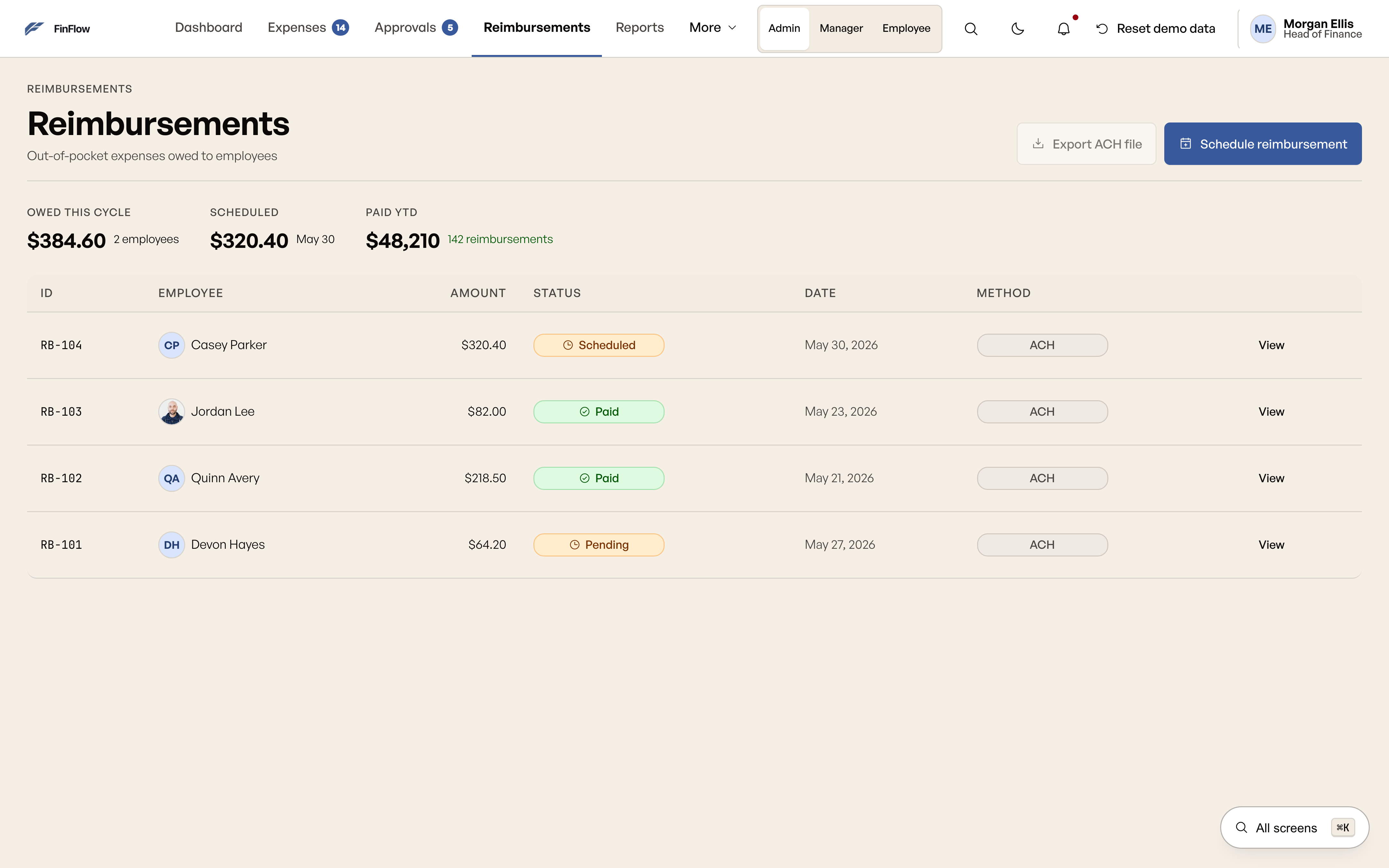
- Status in the expense list. The employee can scan progress before opening a detail view.
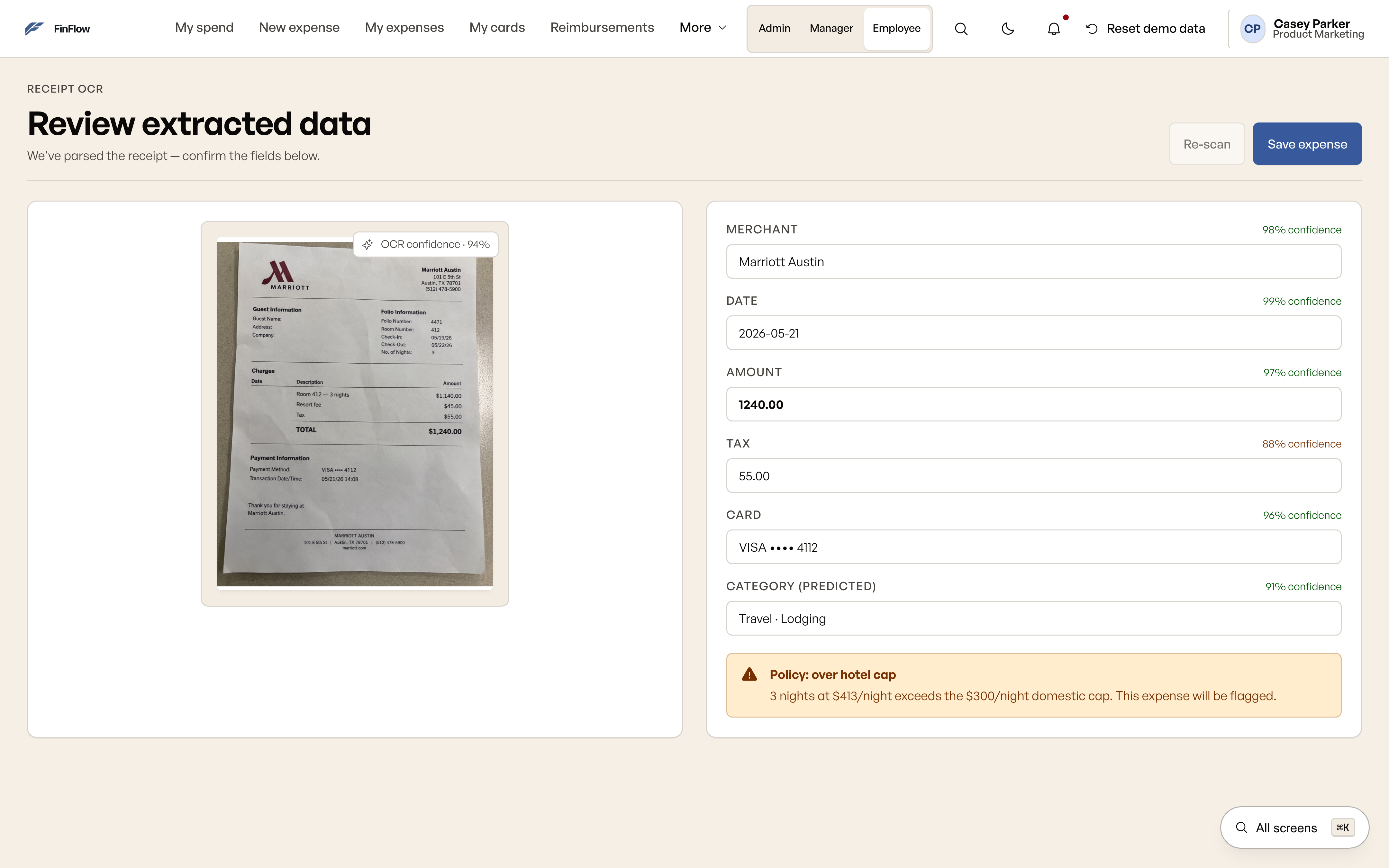
- Decision 01: confidence beside the extracted fields. This is the visible response to “Can I check the amount extracted from my receipt before submitting?” The review step lets the submitter inspect the illustrative extraction before continuing.
One visual language across three roles.
The dashboards and finance views reuse tables, filters, status chips, and action styles so each role relearns less when moving between tasks. All balances, merchants, and transaction figures in these screenshots are mock data.
Accessibility behavior to inspect.
The prototype includes shared focus styling, keyboard row actions, named charts, and reduced-motion rules. These are implementation features, not a claim that a full WCAG conformance audit has been completed.
Use Tab to move through controls and chart points, Enter to open a focused expense row, and ⌘K (Ctrl+K on Windows) to open the role-filtered screen directory. The final regression report records the browser checks; this page makes no unsupported AA or AAA certification claim.
A product-design prototype with explicit boundaries.
Expenses, approval decisions, and newly issued cards stay in memory during the prototype session. Integration connections, receipt extraction, rejection notifications, and reimbursements are simulated. No backend, real payment, or delivered email is implied.
This is a self-directed product concept and interactive prototype. The 73% → 89% result is a measured usability outcome from prototype validation; it is not a claim of commercial deployment or production performance.
Open desktop prototype Open mobile prototype View screen board All work
What I’d validate next.
The next evidence belongs in a real deployment context, where the prototype’s connected flows meet production data, integrations, and operational constraints.
Test the handoff between roles in deployment
Observe employees, managers, and finance reviewers using the same records across the complete workflow, including flags, rejection reasons, bulk decisions, and reimbursement status.Test the complete receipt flow
Validate receipt capture, correction, submission, status tracking, and review with a real receipt service rather than simulated extraction.Measure production behavior
Repeat the task-based validation after deployment with documented participant criteria, sample size, test dates, and completion rules before comparing outcomes.
Design archive: personas, task scenarios, and wireframes
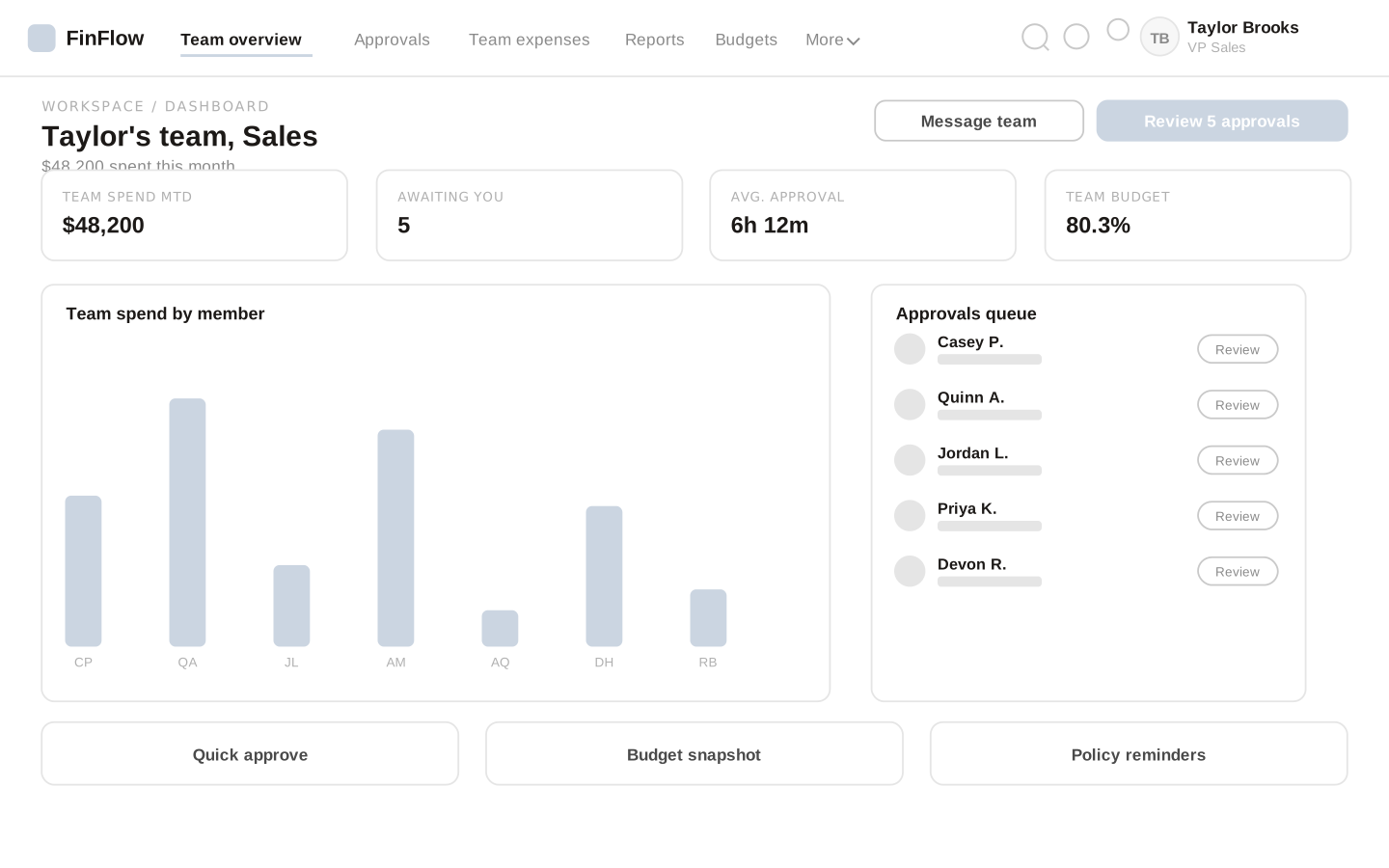
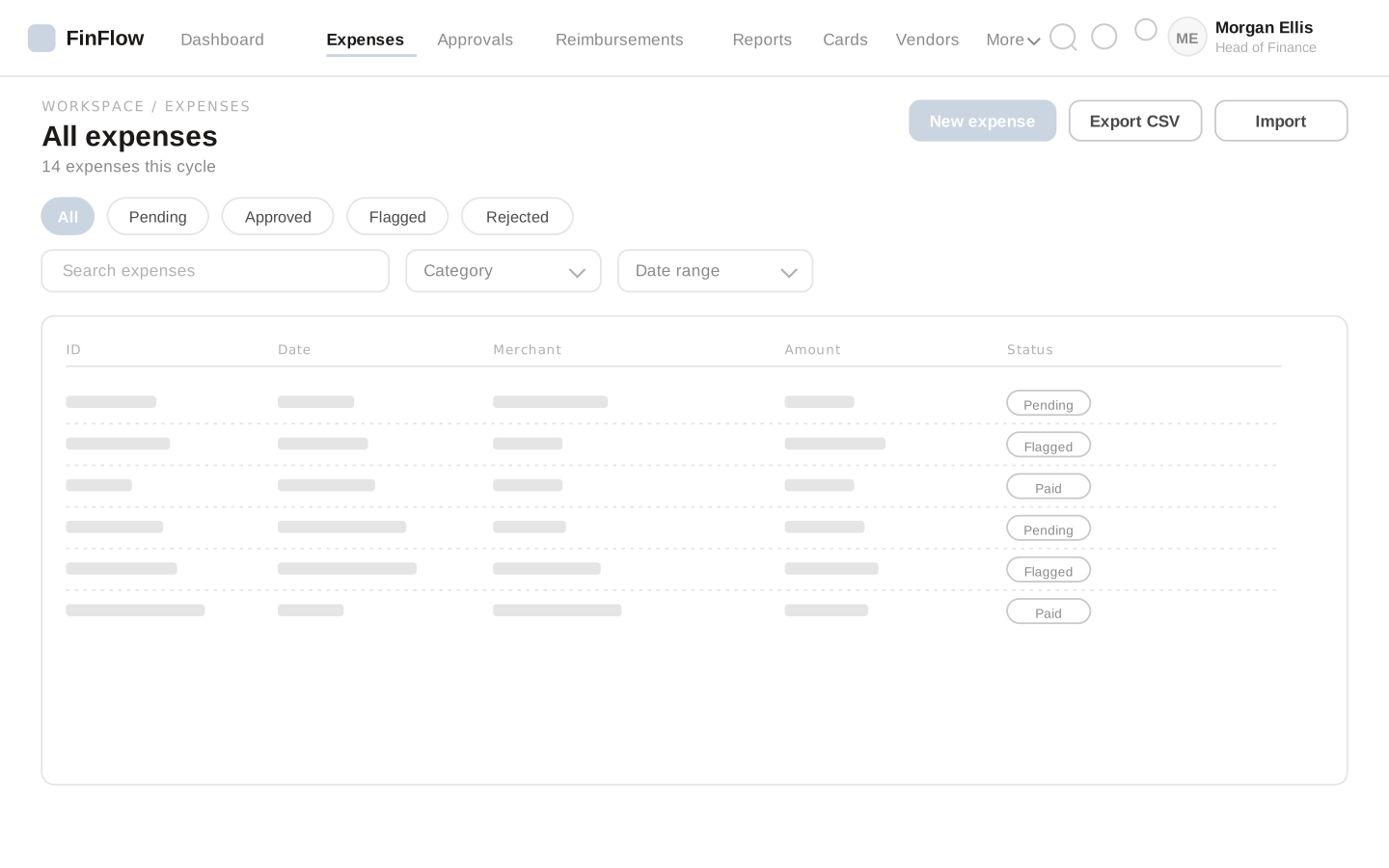
Wireframes preserve the task structure.
These existing design artifacts show layout decisions. They are illustrative, not evidence of interviews, comparative tests, or production results.
Expense submission
Manager dashboard
Expenses list
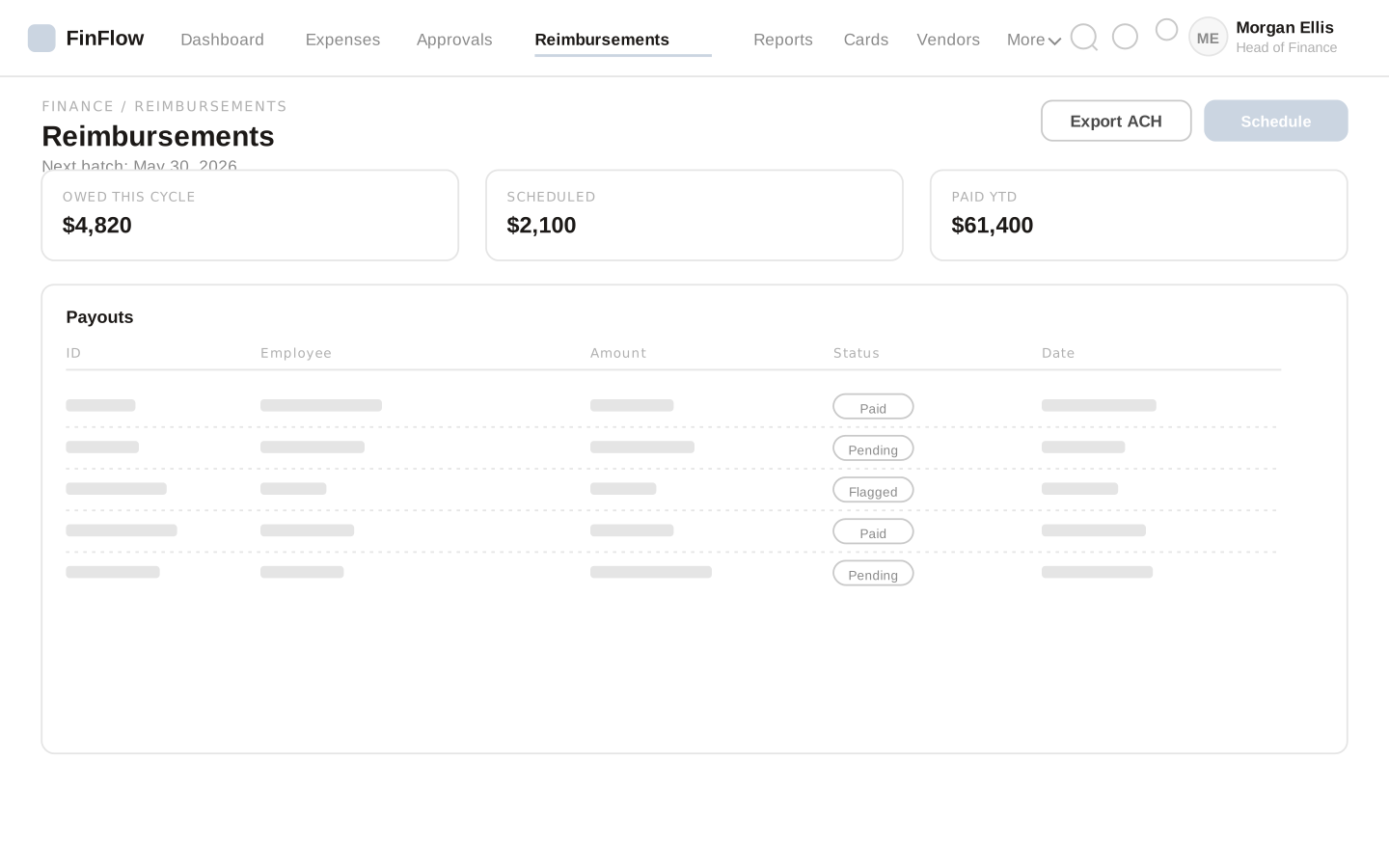
Reimbursements